All your wealth.
One private dashboard.

🔒 No cloud. No account. Your portfolio stays on your computer.

Stocks, bonds, real estate, private equity, venture capital, crypto, and cash — tracked across every entity, trust, and account. Start by dragging in one statement. Nothing is stored on our servers, and there's no account to create.

v0.2.15 Windows 10+ · macOS 12+ (Apple Silicon) No account required
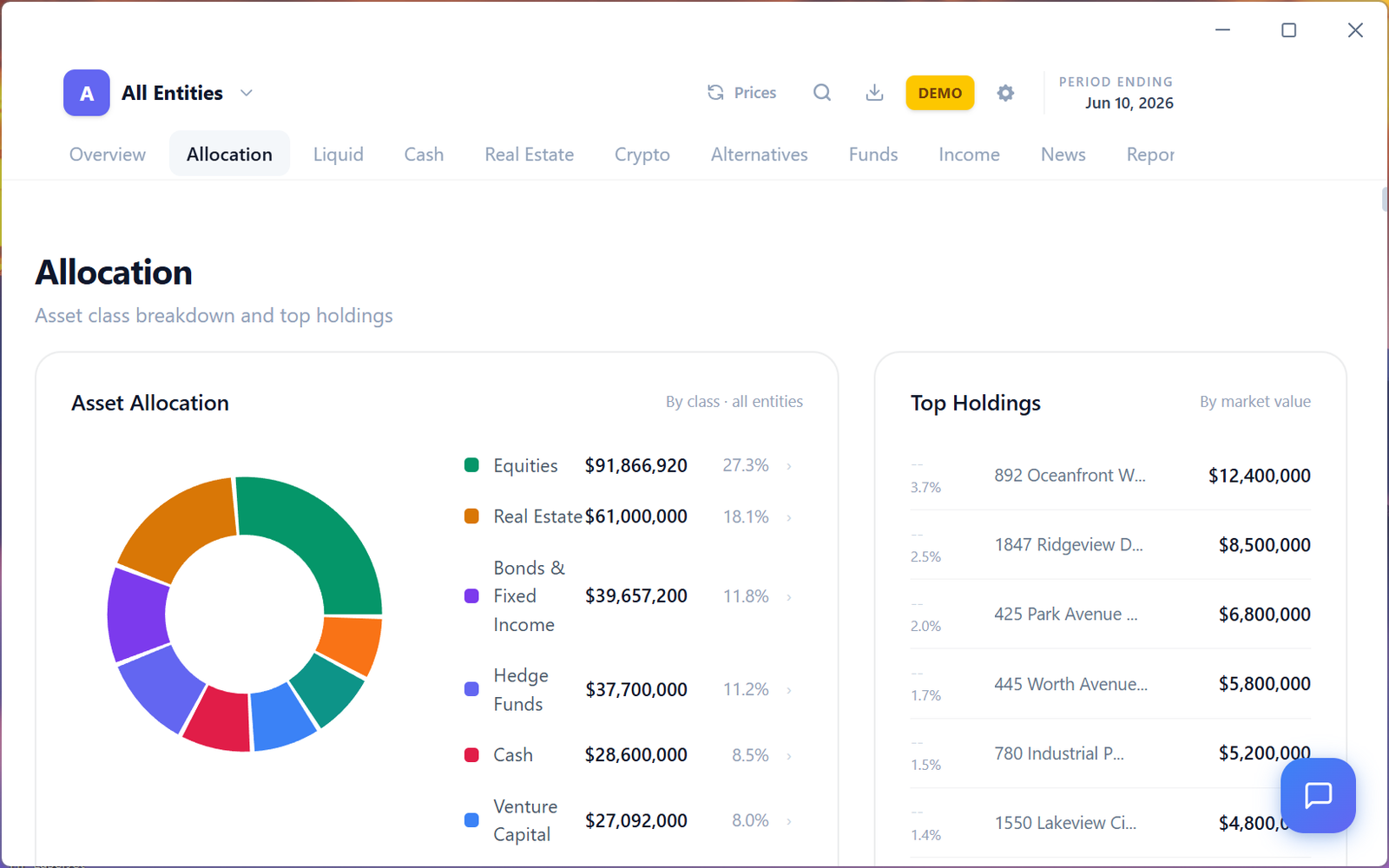
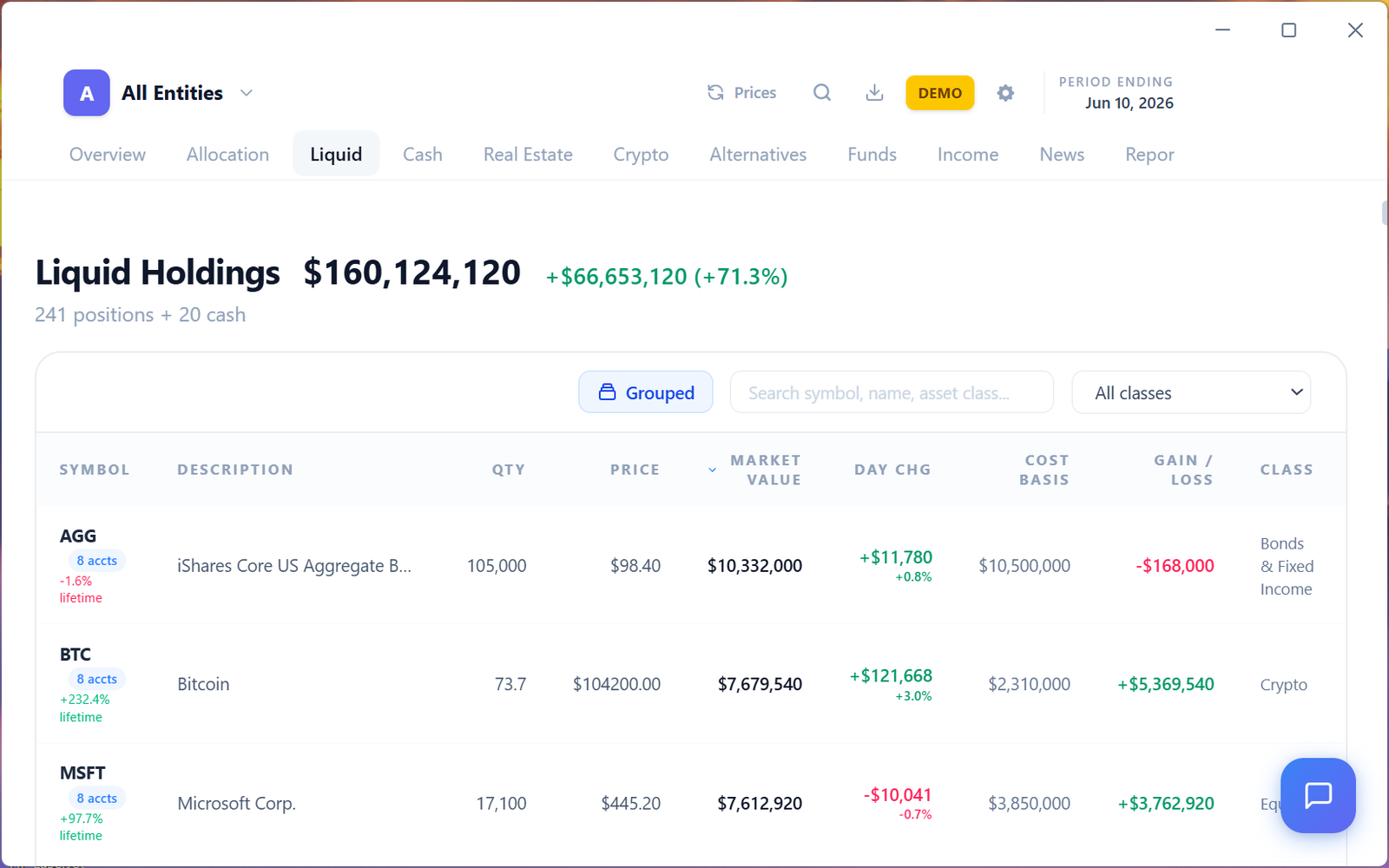
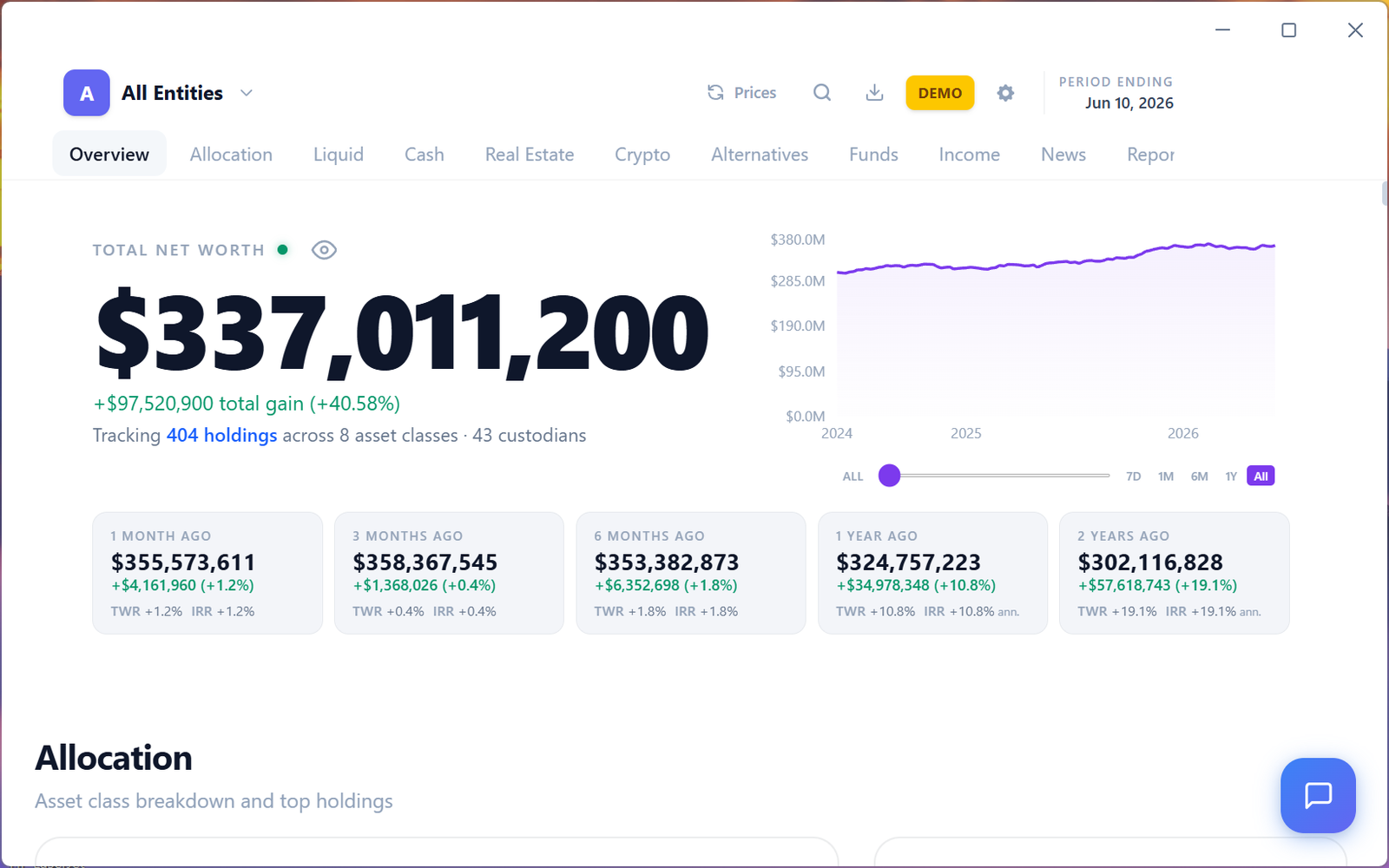
Wealth App — Portfolio Dashboard with multi-entity tracking, allocation charts, and real-time prices
The problem

Your wealth is scattered across 15 logins and a spreadsheet you dread opening

Schwab has your stocks. Carta has your venture deals. Your accountant has the K-1s. The real estate is in a trust. The crypto is on Coinbase. And the only place it all comes together is a spreadsheet that's already out of date.

  • Portfolio aggregators like Mint and Empower store your complete financial data on their servers
  • Most tools can't handle trusts, LLCs, and multi-entity structures
  • Private investments, real estate, and alternatives are always manual
  • Family offices pay $50K+/year for software that does what a desktop app should do
The solution

One app on your computer that sees everything

Wealth brings every holding, every entity, and every asset class into a single private dashboard — without uploading your financial life to someone else's server.

  • Your data lives in a local database on your hard drive
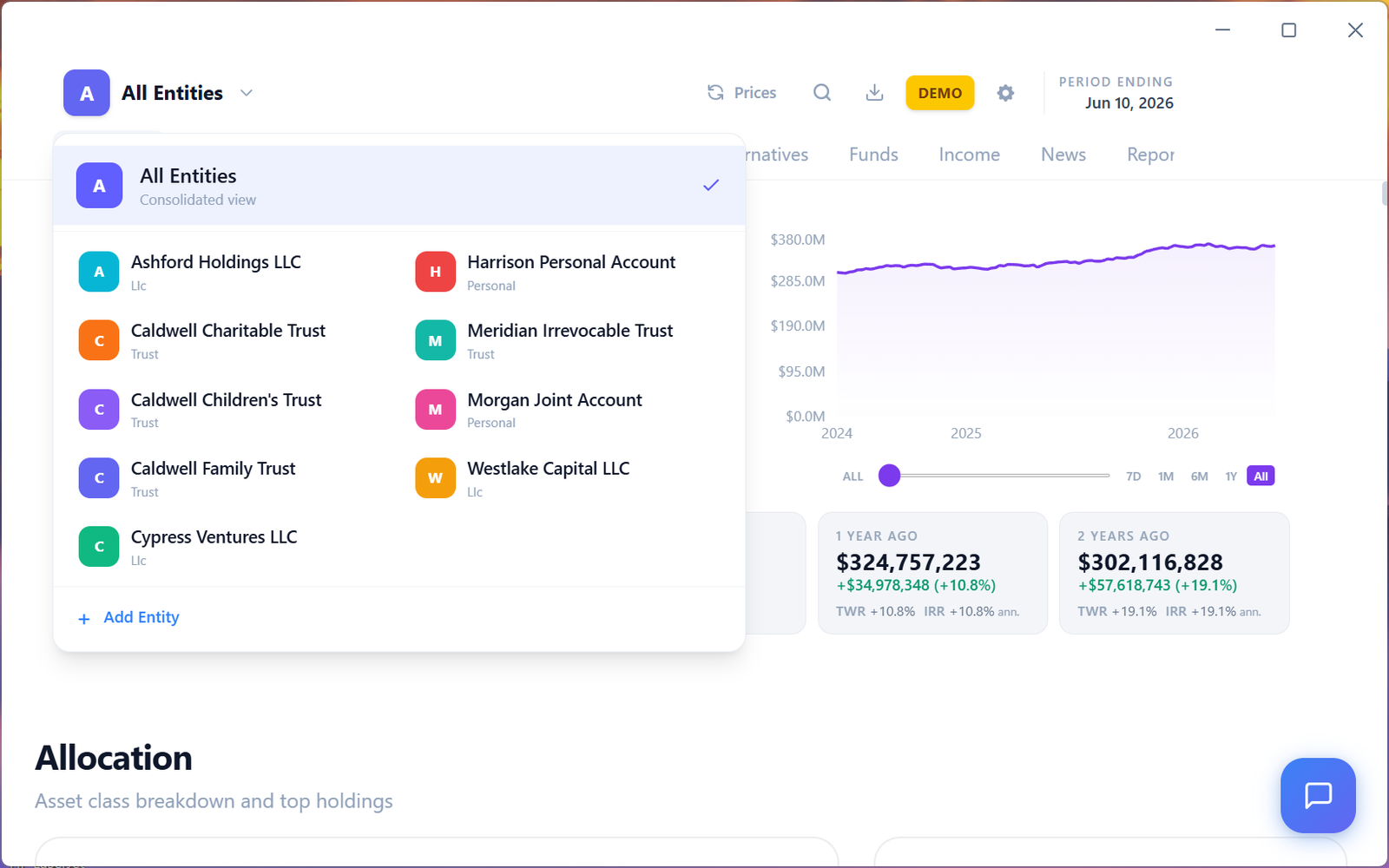
  • Track multiple entities — personal, trust, LLC, family — consolidated or separate
  • AI reads your brokerage statements, K-1s, and capital calls automatically
  • No subscription. No account creation. Download and go.
Complete coverage

Every asset class. One view.

Most portfolio tools stop at stocks and bonds. Wealth tracks the entire picture.

📈
Equities
Stocks, ETFs, closed-end funds
🏦
Bonds & Fixed Income
Treasuries, corporates, munis
🏠
Real Estate
Properties with auto-valuations
🔒
Private Equity
PE funds, co-investments
🚀
Venture Capital
Fund positions & direct deals
🪙
Crypto
Bitcoin, Ethereum, alts — live prices
💵
Cash & Banking
Checking, savings, money market
🎨
Alternatives
Hedge funds, commodities, art
📋
Notes & Debt
Loans, credit lines, mortgages
Get started in 2 minutes

Start with one statement

No account. No linking. No manual entry. Drag in one file to see how it works — then bring in everything you've got.

1

Grab one statement

Any recent brokerage or bank statement you already have — PDF, CSV, or Excel. One file is enough to see how this works. Don't have one handy? Download 30 sample documents and use those instead.

2

Drag it onto the app

Wealth reads every position, cost basis, and transaction — nothing to type, even from complex multi-account PDFs. Document text goes to Google's Gemini API for extraction and nothing else. It never touches our servers.

3

Now upload the rest of them

Go pull every statement you can find — brokerage, bank, funds, capital calls, K-1s. Select them all at once or drop in a zip and Wealth works through the pile. Real estate and private companies get added by hand, with automatic property valuations.

Later, if you want it

Connect your portals

Tired of downloading statements one at a time? Open Schwab, E*TRADE, Carta, or Morgan Stanley inside the app and log in the way you normally would — Wealth captures your positions and documents as you browse. No Plaid, no third-party access, and your password goes straight to your broker.

Powerful features

Financial reports that actually matter

Institutional-grade analytics you'd expect from a family office — in a free desktop app.

📈

Performance (IRR & TWR)

Time-weighted and money-weighted returns for every holding, entity, or your total portfolio. Benchmark against the S&P 500 or bonds.

🥧

Asset allocation

Interactive breakdown by asset class, sector, or entity. See exactly how you're positioned — consolidated or per-entity.

💰

Income tracking

Dividends, interest, distributions, and capital calls — all tracked with projected income forecasts.

🏢

Multi-entity management

Separate trusts, LLCs, personal accounts, and family members. View each individually or roll up into a consolidated net worth.

📄

AI document parsing

Upload complex brokerage statements and AI extracts every position. Three-pass deep extraction handles multi-account PDFs with reconciliation.

📥

PDF export

Export any view as a clean, branded PDF report. Perfect for advisors, accountants, or your own records.

AI-powered

Ask your portfolio anything

Chat with an AI that has full context on your holdings, allocations, and performance — across every entity. It can even search the web for market data to inform its answers.

Entirely optional. Only activated when you ask a question. A summary of your holdings is sent to answer the query — never stored on any server.

💬  "What's my total exposure to private equity across all entities?"
💬  "Do any of my equity holdings have earnings coming up?"
💬  "Is there anything I should tax-loss harvest?"
💬  "Am I well allocated to crypto relative to my net worth?"
🛡️

Nothing is stored in the cloud

Every portfolio aggregator on the market keeps your complete financial life on their servers. Wealth is built the other way around — your holdings, documents, and records live on your hard drive and nowhere else.

💻

An encrypted database on your machine

Holdings, valuations, and documents are stored in an encrypted database on your hard drive. Not on our servers. Not in any cloud. There is no copy of your portfolio anywhere else.

🤖

What goes to AI, and when

Nothing is sent unless you start it. When you import a document, its text goes to Google's Gemini API for extraction — never to our servers — and Google doesn't train on it.

🚫

No Plaid. No aggregators.

No Plaid, no Yodlee, no third-party data access sitting between you and your accounts. When you connect a portal you log in directly — we never see your password, and there's nothing to remember to revoke later.

👤

No account required

No sign-up, no email address, no personal information — ever. Download it, install it, and start. We couldn't identify your portfolio if we wanted to.

The full picture: Market prices are fetched using ticker symbols only, so your positions are never sent. Document parsing and AI chat send data to Google's Gemini API only when you start them. The app also sends anonymous usage stats — app version, launches, and which features are used — so we can improve it. This never includes your holdings, balances, account names, or documents, and you can switch it off anytime in Settings.

See it in action

Screenshots from the demo

All data shown is synthetic — generated for demonstration purposes.

Ready to see your complete picture?

Download Wealth for free. No account, no credit card, no data collection. Just install and go.

v0.2.15 Windows ~120 MB · Mac ~125 MB
Installing Wealth
🍎
Mac: The download is a .zip. Double-click it to unzip, then drag Wealth into your Applications folder and open it.
No warning to click through — the Mac app is signed with our Apple Developer ID and notarized by Apple, so macOS opens it like any other app.

Please read before you download. Wealth is early-access software provided as is, with no warranty of any kind. It is not financial, tax, or legal advice and is not a statement of account. Figures — including anything generated by AI — may be inaccurate, incomplete, or out of date, and must be verified against your official statements. You are responsible for your own backups. You use this software entirely at your own risk and accept sole responsibility for every decision you make with it. Tikuno Media LLC accepts no liability for any damages of any kind. See the License Agreement and Privacy Policy.
Before you download

Wealth is free. We ask for an email so we can tell you about updates and security fixes — and so we have a record that you accepted the terms.

I understand that Wealth is provided as is, with no warranty; that it is not financial, tax, or legal advice; that its figures and AI-generated output may be wrong and must be verified against my official statements; that I am responsible for my own backups; and that I use it entirely at my own risk and accept sole responsibility for every decision I make with it. Tikuno Media LLC accepts no liability for any damages of any kind.